Self-healing E2E tests: how we built an AI-powered self-healing pipeline
E2E tests break with every UI change. At JMO Labs we built a 5-phase AI pipeline that plans, executes, repairs selectors, diagnoses failures, and verifies results on its own. The selector cache makes every run faster than the last.
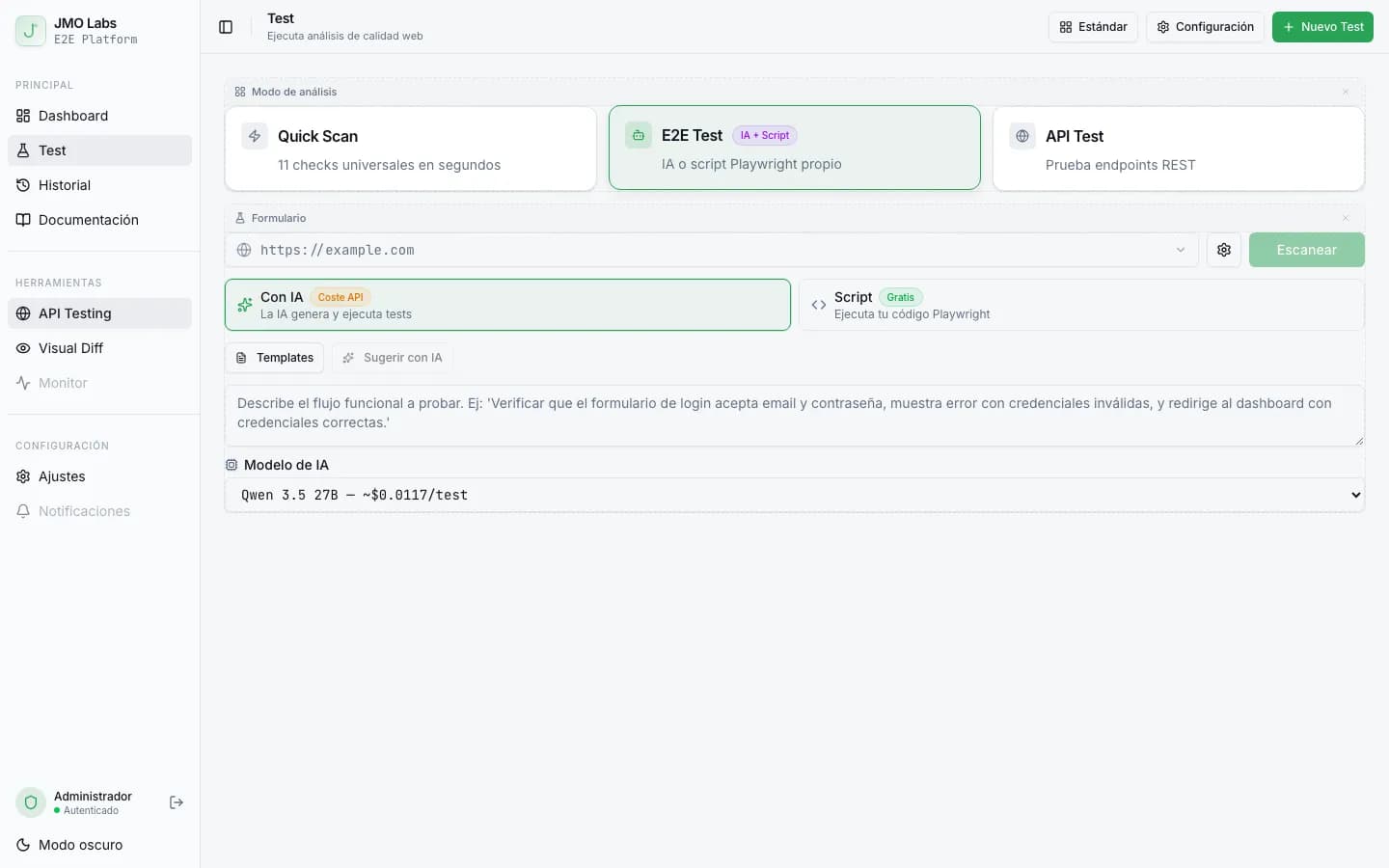
E2E tests have a silent enemy: selector fragility. Change a CSS class, translate a button, or move a form field, and the whole suite breaks. At JMO Labs we decided tests should fix themselves. This article explains how we built an AI-powered self-healing pipeline that plans, executes, diagnoses, repairs, and verifies E2E tests on its own. I go into more detail about this in designing APIs for AI agents to validate Playwright tests autonomously.
If you don't know JMO Labs yet, in the previous post I explained its overall architecture. Today I'm focusing on the most ambitious part: the self-healing system.
The full pipeline, from natural language to a verified test
The flow has five linked phases, each with its own AI model:
- In planning, a natural language spec is turned into a plan with executable steps.
- In execution, each step runs against the real page with a 9-strategy locator.
- In healing, if the selector fails, the AI looks at the screenshot and suggests alternatives.
- In recovery, if the whole step fails, the AI diagnoses the problem and proposes corrective actions.
- In verification, another model looks at the resulting screenshot and confirms whether the step succeeded.

Let's look at each phase in detail.
Phase 1: from natural language to an executable plan
The user writes something like: “Go to login, enter [email protected] and password 1234, click Sign in, and verify that the dashboard appears”. The planner turns that into a JSON object with concrete steps.
But before planning, the system extracts the real context from the page: headings, forms with their fields (label, id, placeholder), and the first 50 interactive elements with their attributes (role, aria-label, data-testid, visible text). That context is sent to the model together with the spec so selectors can be as precise as possible.
// El prompt incluye el contexto real de la página
const userMessage = `URL: ${url}

Especificación funcional:
${spec}

Contexto de la página:
- Título: ${pageContext.title}
- Formularios: ${JSON.stringify(pageContext.forms)}
- Elementos interactivos: ${JSON.stringify(pageContext.elements.slice(0, 50))}

Genera un plan JSON con esta estructura:
{
  "name": "Nombre breve del test",
  "steps": [
    { "id": 1, "action": "navigate", "selector": "...", "value": "..." }
  ]
}`;
The plan is structurally validated before execution: each step must have a valid action (navigate, click, type, select, scroll, wait, screenshot_only) and the required fields for that action. If validation fails, the planner retries once.
Selector preference: resilience first
The prompt tells the model to prefer selectors in this order:
role:name, for examplebutton:Enviar,link:Inicio(the most resilient)aria-label, like[aria-label="Search"]data-testid, like[data-testid="submit-btn"]id, like#login-form- Visible text, meaning the exact text of the button or link
- CSS selector, like
.btn-primary(last resort, the most fragile)
This hierarchy makes generated tests naturally resistant to design changes. A CSS class change won't break a selector based on the element's role.
Phase 2: execution with 9 cascading strategies
Each step in the plan runs by looking for the target element with 9 strategies in order of specificity. If the first one doesn't find the element, it tries the next one. And if none of them work on the first attempt, it retries 3 times with increasing timeouts (3s, 6s, 9s).
async function smartLocator(page, step, attempt = 0) {
  const timeout = 3000 + (attempt * 3000); // 3s → 6s → 9s

  const strategies = [
    // 1. CSS directo
    () => page.locator(selector).first(),
    // 2. role:name (ej: "button:Enviar")
    () => page.getByRole(role, { name }),
    // 3. getByLabel (campos de formulario)
    () => page.getByLabel(selector, { exact: false }).first(),
    // 4. getByPlaceholder (inputs)
    () => page.getByPlaceholder(selector, { exact: false }).first(),
    // 5. getByRole con roles comunes
    () => page.getByRole("button", { name: selector }),
    // 6. getByText (texto visible)
    () => page.getByText(selector, { exact: false }).first(),
    // 7. aria-label parcial
    () => page.locator(`[aria-label*="${selector}" i]`).first(),
    // 8. data-testid parcial
    () => page.locator(`[data-testid*="${selector}" i]`).first(),
    // 9. title parcial
    () => page.locator(`[title*="${selector}" i]`).first(),
  ];

  for (const strategy of strategies) {
    const el = await strategy();
    if (await el.isVisible({ timeout })) return el;
  }
  return null;
}
Between retries, the system does two smart things:
- It dismisses obstacles like cookie banners, newsletter modals, or popups that might be covering the element.
- It scrolls, moving down 300px to reveal lazy-loaded content that might contain the target element.
The selector cache, tests that learn
Every time a selector works, the system stores it in a persistent SQLite cache tied to the URL pattern. The next time a test runs against that URL, the locator checks the cache before trying the 9 strategies.
// Antes de probar estrategias, consulta la caché
const cached = getCachedSelector(urlPattern, step.selector);
if (cached && cached.success_count > cached.fail_count) {
  const el = page.locator(cached.working_selector).first();
  if (await el.isVisible({ timeout: 3000 })) {
    incrementSelectorSuccess(urlPattern, step.selector);
    return el; // Encontrado en caché
  }
}

// Si la caché falla, prueba las 9 estrategias...
// Si tiene éxito, guarda en caché:
upsertSelector(urlPattern, original, working, description, strategy);
The cache uses a success and failure counter system. A cached selector is only used if success_count > fail_count. If a cached selector stops working, its failure count goes up and eventually it gets dropped. Selectors that haven't been used in 90 days are automatically deleted.
The result: tests get faster with every run because the cache avoids going through all 9 strategies for elements it already knows.
Phase 3: healing with computer vision
When all 9 strategies fail across the 3 attempts and the cache doesn't help, the healer kicks in. This module takes a screenshot of the current page and sends it to an AI model with vision capabilities together with the selector that failed.
const result = await provider.askWithImage(
  HEALER_SYSTEM,      // Instrucciones: "Analiza el screenshot y sugiere selectores"
  HEALER_USER(step),  // "El selector X no funciona para la acción Y"
  screenshotBase64    // Captura actual de la página
);

// El modelo responde con:
// { selector: "nuevo CSS", fallbacks: ["alt1", "alt2"], reasoning: "..." }

// Prueba el selector sugerido
const locator = page.locator(result.selector);
if (await locator.count() > 0) {
  // Funciona → guardar en caché con strategy: "ai-healed"
  upsertSelector(urlPattern, original, result.selector, description, "ai-healed");
  return locator;
}
The healer also provides fallback selectors that get tried if the main one doesn't work. If any of the suggested selectors finds the element, it's saved in the cache with the ai-healed strategy for future runs.
Phase 4: recovery when the whole step fails
Sometimes the problem isn't the selector, it's the state of the page. A modal blocking the interface, an unexpected redirect to login, a 500 error, or content that hasn't loaded yet. For those cases, the recovery system analyzes the screenshot and the error to diagnose what happened and propose a corrective action.
const recovery = await attemptRecovery(
  page, provider, failedStep, errorMessage, screenshotBase64
);

// El modelo analiza y responde con:
// {
//   diagnosis: "Un banner de cookies está bloqueando el botón",
//   recoveryAction: { action: "dismiss", selector: "#cookie-accept" },
//   shouldRetryOriginal: true,
//   shouldSkipStep: false
// }

// Ejecuta la acción de recuperación
if (recovery.recoveryAction) {
  await executeAction(page, recovery.recoveryAction);
}

// Reintenta el paso original si el modelo lo sugiere
if (recovery.shouldRetryOriginal) {
  await executeAction(page, failedStep);
}
The available recovery actions are: dismiss (close obstacle), scroll, wait, click (click another element first), and navigate. If the model decides the state can't be recovered from (error page, login wall), it recommends skipping the step instead of failing the whole test.
Phase 5: visual verification
After executing each step, with or without healing/recovery, the verifier takes a screenshot and analyzes it with vision AI to confirm that the result is what we expected.
const verification = await verifyStep(
  provider, step, screenshotBase64,
  {
    urlChanged: currentUrl !== previousUrl,
    consoleErrors: errorsThisStep,
    networkErrors: failuresThisStep,
  }
);

// Respuesta: { status: "pass" | "fail" | "warn", explanation: "..." }
// "pass"  → el resultado esperado es visible
// "fail"  → el resultado NO está presente
// "warn"  → no se puede determinar con certeza
The verifier gets extra context: whether the URL changed between steps, whether there were console errors, and whether there were network failures during execution. That lets it tell expected changes apart from unexpected ones, like an error redirect.
The obstacle dismissor
Before the planner analyzes the page, and during executor retries, a specialized module automatically dismisses cookie banners, modals, and popups. It knows 28 cookie consent patterns (OneTrust, Cookiebot, Didomi, Tarteaucitron...) and acceptance text in 7 languages.
// Ejemplo de los 28 selectores conocidos (extracto)
const COOKIE_SELECTORS = [
  "#onetrust-accept-btn-handler",
  "#CybotCookiebotDialogBodyLevelButtonLevelOptinAllowAll",
  "#didomi-notice-agree-button",
  ".cc-accept-all",
  "[data-cookie-accept]",
  // ... 23 más
];

// Si ningún selector funciona, prueba textos en 7 idiomas:
// "Aceptar", "Accept", "Accepter", "Akzeptieren", "Aceitar", "Accetta"...
If all of that fails, it presses Escape as a last resort. The system runs up to 3 dismissal rounds to handle stacked popups.
Real-time streaming: watching the AI work
The whole pipeline emits events through Server-Sent Events (SSE), which the frontend consumes in real time. The user sees each step execute, each healing action apply, and each verification resolve.
// Eventos emitidos durante la ejecución:
emit("step_start", { stepId, description, action });
emit("selector_healed", { stepId, originalSelector, usedSelector, strategy });
emit("step_recovery", { stepId, diagnosis, action, retried, skipped });
emit("step_complete", { stepId, status, explanation, screenshot });
emit("live_frame", { filename, frame, timestamp });
emit("ai_complete", { report, steps, usage });
On top of that, during the whole E2E run the system captures real-time screenshots every 500 ms and sends them as SSE frames. The frontend shows them like a live video feed from the headless browser. It's like having a window open into what Playwright is doing at that moment.
The result: tests that improve on their own
The full pipeline creates a continuous improvement loop:
- The planner generates resilient selectors based on the page's real context.
- The executor tries 9 strategies with retries before giving up.
- The healer repairs broken selectors using computer vision.
- Recovery diagnoses and corrects unexpected page states.
- The verifier confirms each step with visual evidence.
- The selector cache accumulates knowledge across runs.
Each run leaves the cache richer. Today's tests are faster and more resilient than yesterday's because the system remembers which selectors work on each domain.
E2E test fragility isn't a technical problem, it's a design problem. If your system assumes selectors will always work, any UI change breaks it. If it assumes they'll fail and has ways to adapt, it becomes resilient. Build tests that expect chaos.
If you want to try the self-healing system in action, run an E2E test on e2e.josemanuelortega.dev with any natural language spec. You'll see the AI plan, execute, and verify each step in real time.
Another entry in the Playwright in depth series. You're coming from Playwright as the testing engine for JMO Labs. To go back to the beginning, Automating 60 screenshots with Playwright.

Jose, author of the blog
QA Engineer. I write out loud about automation, AI and software architecture. If something here helped you, write to me and tell me about it.
Leave the first comment
What did you think? What would you add? Every comment sharpens the next post.
If you liked this

La paradoja del pesticida, el quinto principio del testing que ignora tu equipo
Es el quinto principio del testing, y el que más equipos pasan por alto. Ejecutar los mismos tests una y otra vez acaba siendo un placebo caro.
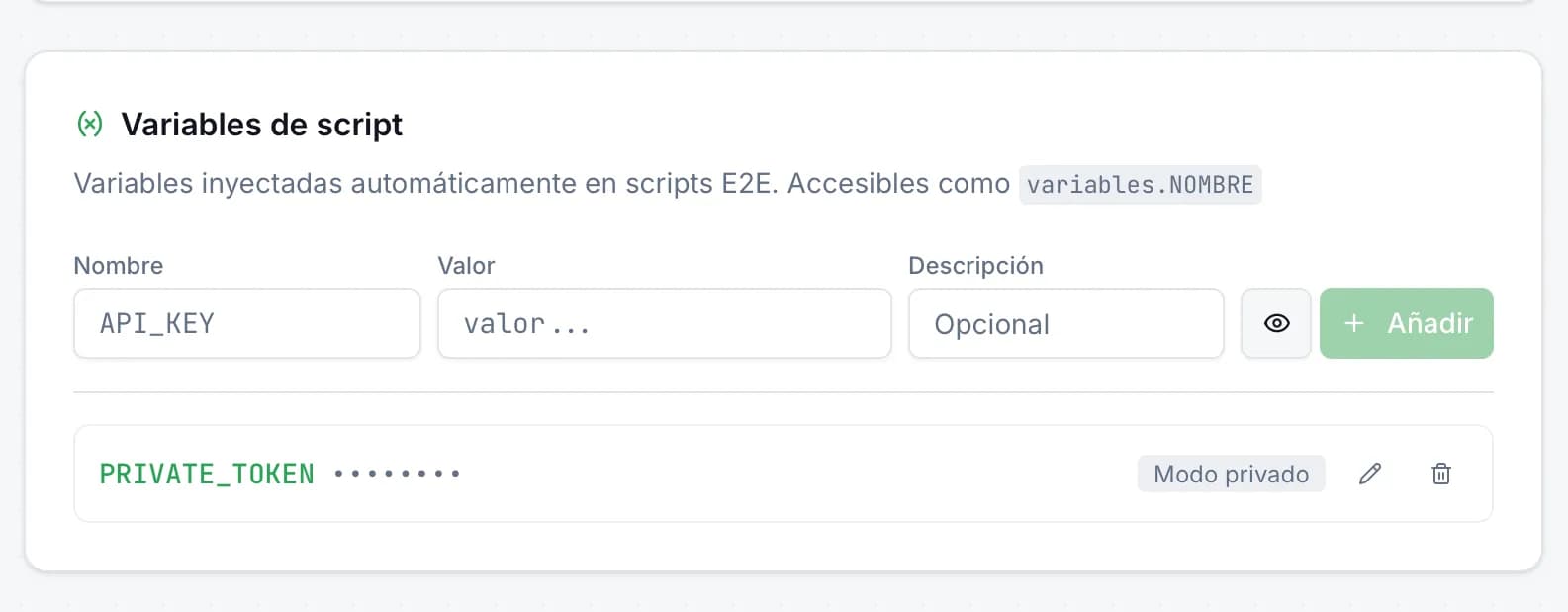
Variables de entorno en scripts E2E: secretos seguros en JMO Labs
Los scripts E2E necesitan datos sensibles —tokens de API, credenciales, URLs privadas— sin que aparezcan en el código. En JMO Labs hemos añadido variables de script con modo privado: se inyectan automáticamente, se enmascaran en los logs y se acceden con una sintaxis limpia.
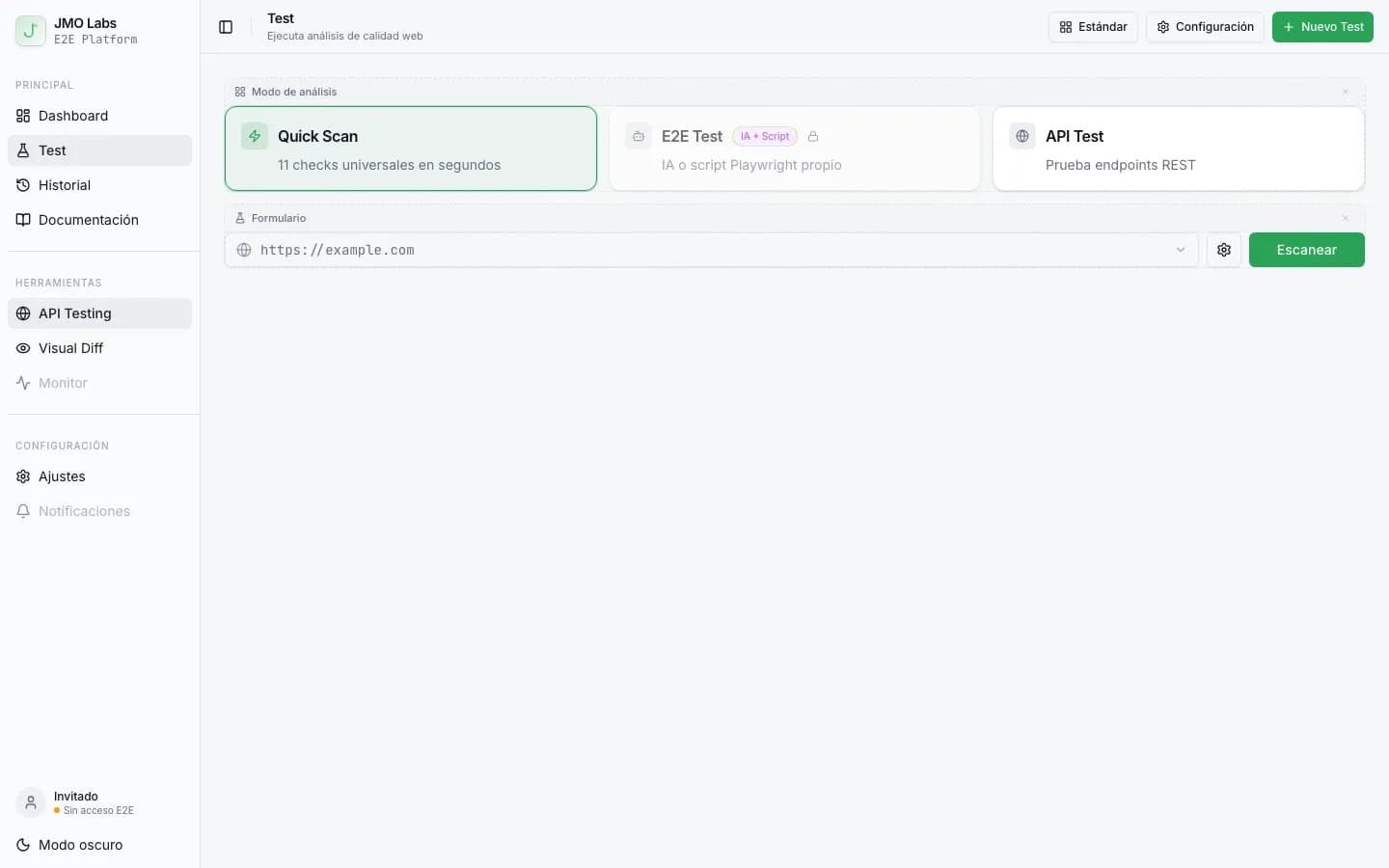
Construir una plataforma de testing con Playwright: arquitectura de JMO Labs
Playwright no es solo para tests E2E. En JMO Labs lo usamos como motor completo: 9 fases de comprobación, localizador de 9 estrategias con self-healing, grabación de vídeo, testing responsive con viewports reales y accesibilidad con axe-core.