Building a testing platform with Playwright: JMO Labs architecture
Playwright isn't just for E2E tests. At JMO Labs we use it as the whole engine: 9 verification phases, a 9-strategy locator with self-healing, video recording, responsive testing with real viewports, and accessibility with axe-core.
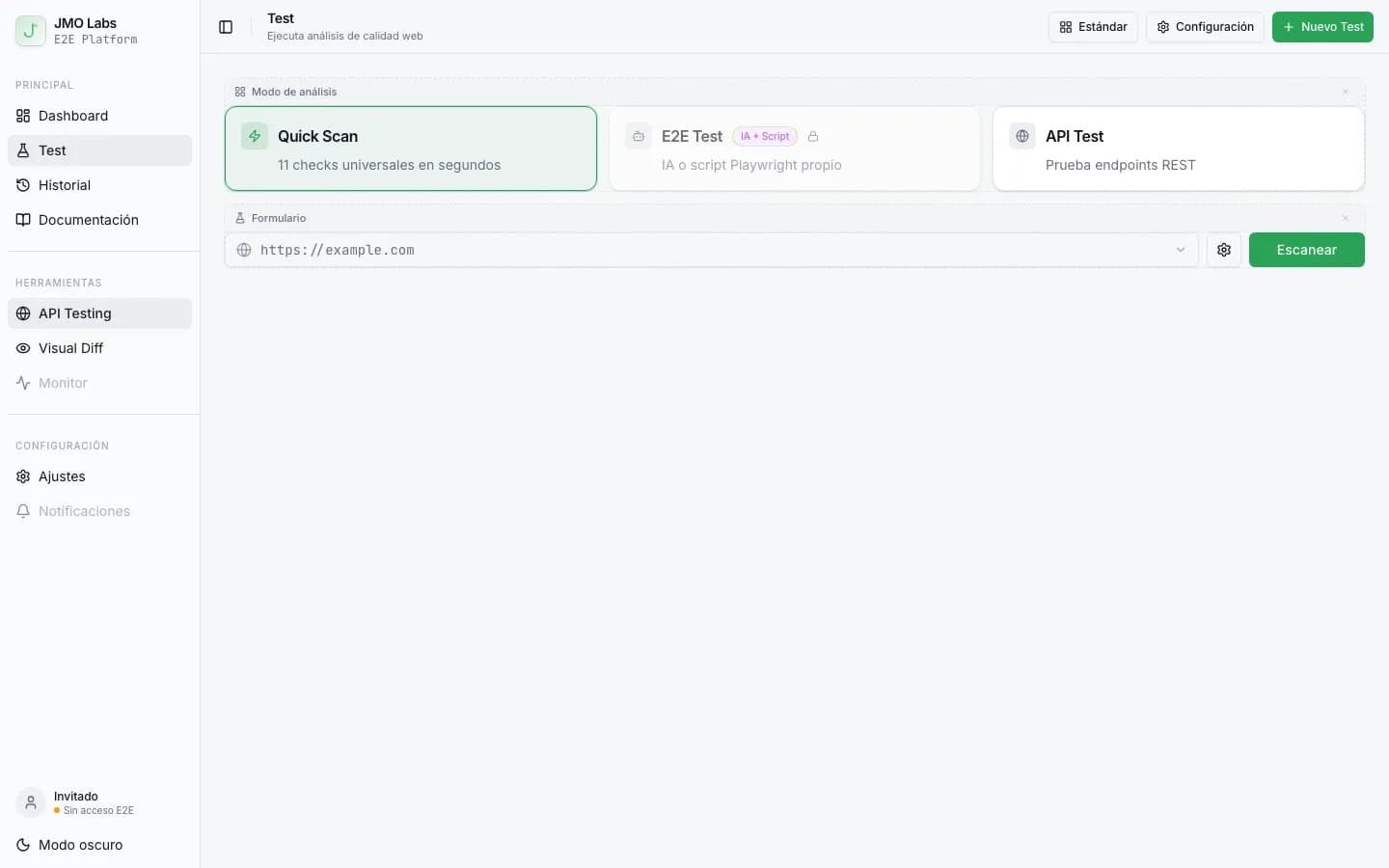
In the previous post I explained how we use Playwright to automate screenshots in Ofusca. But there's one project where Playwright isn't a supporting tool, it's the whole engine. In JMO Labs, our web testing platform, Playwright launches browsers, runs 9 quality checks in phases, records video for every test, and even fixes itself with AI when a selector fails. In the same space, in environment variables in E2E scripts I covered the other side of the problem.
This article is a technical walkthrough of how we built a full testing system on top of the Playwright API, from the orchestrator architecture to the 9-strategy locator that makes E2E tests resilient to interface changes. I talk about this in more detail in designing APIs for AI agents.
What JMO Labs is
JMO Labs is a fullstack platform for web testing and quality analysis. It offers three modes:
- Quick Scan runs 9 automatic checks (performance, accessibility, SEO, security, responsive, links, console errors, interactivity, and Lighthouse).
- E2E Testing gives you AI-powered end-to-end tests. You write a spec in natural language and the platform generates, runs, and verifies the steps automatically.
- API Testing lets you validate REST endpoints with assertions, variable extraction, and request chaining.

Everything runs in a single Docker container with Chromium preinstalled, an Express backend, and a React frontend. And at the center of it all, Playwright.
The orchestrator, 9 phases so nothing breaks
The problem with running multiple checks against the same page is that some of them can interfere with others. A responsive check changes the viewport. An interactivity check clicks buttons. If everything runs in parallel, the results are unpredictable.
The fix is an orchestrator that runs checks in 9 phases ordered by how intrusive they are:
// Fases de ejecución — de solo lectura a mutación del DOM
const phases = [
  { name: "render",         parallel: false },  // Fase 1: captura inicial
  { name: "console-errors", parallel: false },  // Fase 2: re-navega para capturar consola
  { group: ["performance", "security", "seo"], parallel: true },  // Fase 3: solo lectura
  { name: "accessibility",  parallel: false },  // Fase 4: inyecta axe-core
  { name: "responsive",     parallel: false },  // Fase 5: cambia viewport
  { name: "links",          parallel: false },  // Fase 6: peticiones HTTP externas
  { name: "interactive",    parallel: false },  // Fase 7: clics, formularios
  { name: "web-vitals",     parallel: false },  // Fase 8: PerformanceObserver
  { name: "lighthouse",     parallel: false },  // Fase 9: auditoría completa (CDP)
];
The first three read-only phases (performance, security, SEO) run in parallel because they don't mutate the DOM. Starting with phase 4, each check runs on its own to avoid interference.
The orchestrator also handles concurrency between tests, a configurable maximum number of browsers running at once (3 by default) keeps the server's memory from getting hammered.
Smart cache
If the same user runs the same test with the same selected checks, the orchestrator returns cached results without opening a browser. The cache key is a hash of the URL + the selected checks, with a configurable TTL.
function cacheKey(url, checks) {
  const normalized = checks.slice().sort().join(",");
  return `${url}::${normalized}`;
}

// Si existe resultado reciente, lo retransmitimos por SSE sin ejecutar nada
const cached = getFromCache(cacheKey(url, selectedChecks));
if (cached && !options.forceRerun) {
  emitCachedResults(cached, stream);
  return;
}
E2E tests with AI, from natural language to Playwright
E2E mode is where Playwright and artificial intelligence come together. The flow has three phases:
- In the planning phase, an AI model gets the natural language spec and generates a JSON step plan.
- In the execution phase, each step runs against the real page with Playwright, using a 9-strategy locator.
- In the verification phase, another model validates that each step produced the expected result, using screenshots as evidence.

For example, a spec like “Go to login, enter the email [email protected] and password 1234, click Sign in, and verify that the dashboard appears” turns into an executable plan:
{
  "steps": [
    { "action": "navigate", "value": "/login" },
    { "action": "fill", "selector": "input[type=email]", "value": "[email protected]" },
    { "action": "fill", "selector": "input[type=password]", "value": "1234" },
    { "action": "click", "selector": "button:Entrar" },
    { "action": "wait", "value": 2000 },
    { "action": "screenshot_only" }
  ]
}
The 9-strategy locator
The biggest challenge in automated E2E tests is fragile selectors. A CSS class change, translated text, or renamed attribute can break the whole test. Our fix is a locator that tries 9 strategies in sequence before giving up on finding an element.
async function smartLocator(page, selector) {
  // 1. CSS directo
  let el = page.locator(selector);
  if (await el.count()) return el;

  // 2. role:name (ej: "button:Enviar")
  if (selector.includes(":")) {
    const [role, name] = selector.split(":");
    el = page.getByRole(role, { name });
    if (await el.count()) return el;
  }

  // 3. getByLabel (campos de formulario)
  el = page.getByLabel(selector);
  if (await el.count()) return el;

  // 4. getByPlaceholder (inputs)
  el = page.getByPlaceholder(selector);
  if (await el.count()) return el;

  // 5. getByRole con roles comunes
  for (const role of ["button", "link", "textbox", "heading"]) {
    el = page.getByRole(role, { name: selector });
    if (await el.count()) return el;
  }

  // 6. getByText (texto visible)
  el = page.getByText(selector);
  if (await el.count()) return el;

  // 7. aria-label parcial
  el = page.locator(`[aria-label*="${selector}"]`);
  if (await el.count()) return el;

  // 8. data-testid parcial
  el = page.locator(`[data-testid*="${selector}"]`);
  if (await el.count()) return el;

  // 9. title parcial
  el = page.locator(`[title*="${selector}"]`);
  if (await el.count()) return el;

  return null; // las 9 estrategias fallaron
}
But it doesn't stop there. If all 9 strategies fail, the system switches into self-healing mode:
- It checks a selector cache that remembers which strategy worked in previous runs for the same URL.
- If the cache doesn't help, it asks an AI model to analyze the current HTML of the page and suggest an alternative selector.
- If the alternative selector works, it saves it in cache for future runs.
The result is tests that fix themselves when the interface changes. The success rate goes up with every run because the selector cache learns what works.
Responsive testing with real viewports, not generic ones
The responsive check doesn't use made-up sizes. The viewports are calibrated against real 2025 devices:
const defaultViewports = [
  { name: "mobile",  width: 402,  height: 874,  label: "iPhone 17" },
  { name: "tablet",  width: 820,  height: 1180, label: "iPad Air 11\" M3" },
  { name: "desktop", width: 1440, height: 932,  label: "MacBook Air 15\" M4" },
];
For each viewport, Playwright:
- Resizes the window with
page.setViewportSize(). - Takes a screenshot.
- If a previous baseline exists, compares it pixel by pixel with pixelmatch.
- Generates a diff image if the change goes over the configured threshold.
Visual comparison is especially useful in continuous development, every CSS change gets validated automatically against the approved baseline.
Accessibility with axe-core injected into the page
The accessibility check takes advantage of the fact that Playwright has full control of the browser context to inject axe-core directly into the page under test:
async function runAccessibilityCheck(page) {
  // Inyecta axe-core en la página
  const axePath = require.resolve("axe-core/axe.min.js");
  const axeScript = readFileSync(axePath, "utf-8");
  await page.evaluate(axeScript);

  // Ejecuta el análisis
  const results = await page.evaluate(() => axe.run());

  // Agrupa violaciones por impacto
  const violations = results.violations.map((v) => ({
    impact: v.impact,          // critical | serious | moderate | minor
    description: v.description,
    nodes: v.nodes.length,
    help: v.helpUrl,
  }));

  return {
    status: violations.some((v) => v.impact === "critical") ? "fail" : "pass",
    violations,
    passes: results.passes.length,
  };
}
The rule is strict. Any critical violation marks the check as failed. Moderate and minor violations are reported as warnings so the team can prioritize them.
Video and real-time screenshots
Every test in JMO Labs gets recorded as video. Playwright supports native WebM recording, which we enable when creating the browser context:
const context = await browser.newContext({
  recordVideo: { dir: videoTmpDir, size: viewport },
  viewport,
});

const page = await context.newPage();

// ... ejecutar comprobaciones ...

// Finalizar grabación
await context.close();
const videoPath = await page.video().path();
On top of that, during execution we send real-time screenshots every 500 ms over Server-Sent Events (SSE). The frontend shows them as a live view of the browser running the test. It's like watching Playwright work in real time.
The full architecture
Everything fits into a flow that goes from the user's request to the PDF report:
- The user sends URL + mode + options via
POST /api/test. - The orchestrator checks the cache and available concurrency.
- Playwright launches Chromium headless with video enabled.
- The 9 phases run in order, emitting results over SSE.
- Results, screenshots, and video are saved to SQLite and disk.
- The user can download a PDF report generated with PDFKit.
- A periodic cleanup job deletes videos (>2h), screenshots (>1h), and old tests (>30 days).

And the history of executed tests, with filtering by URL, mode, duration, and number of checks passed:

What we learned building on top of Playwright
After building a full testing platform on top of Playwright, these are the most valuable lessons:
- Playwright isn't just for tests. Its browser control API is powerful enough to work as the engine for any tool that needs to interact with web pages: scrapers, PDF generators, performance monitors, screenshot automation.
- Phases matter. Running everything in parallel is tempting but dangerous. A phase system that respects how intrusive each operation is produces consistent, reproducible results.
- Selectors break. Plan for it. A locator with multiple fallback strategies and a cache that learns is the difference between fragile tests and tests that survive refactors.
- SSE beats WebSocket for one-way streaming. It's simpler, works through proxies and load balancers without extra configuration, and reconnects automatically.
- A single container makes everything simpler. Packaging Chromium, backend, and frontend into one Docker image gets rid of browser and Playwright version compatibility issues.
Playwright is much more than an E2E testing framework. It's a browser automation API powerful enough to build full products on top of it. JMO Labs is proof that, with the right architecture, you can turn a headless browser into a web quality analysis platform.
If you want to try JMO Labs, it's available at e2e.josemanuelortega.dev. Run a Quick Scan against any URL and you'll see Playwright in action.
Another entry in the Playwright in depth series. You're coming from Automating 60 screenshots with Playwright and continuing with E2E tests that fix themselves.

Jose, author of the blog
QA Engineer. I write out loud about automation, AI and software architecture. If something here helped you, write to me and tell me about it.
Leave the first comment
What did you think? What would you add? Every comment sharpens the next post.
If you liked this

La paradoja del pesticida, el quinto principio del testing que ignora tu equipo
Es el quinto principio del testing, y el que más equipos pasan por alto. Ejecutar los mismos tests una y otra vez acaba siendo un placebo caro.
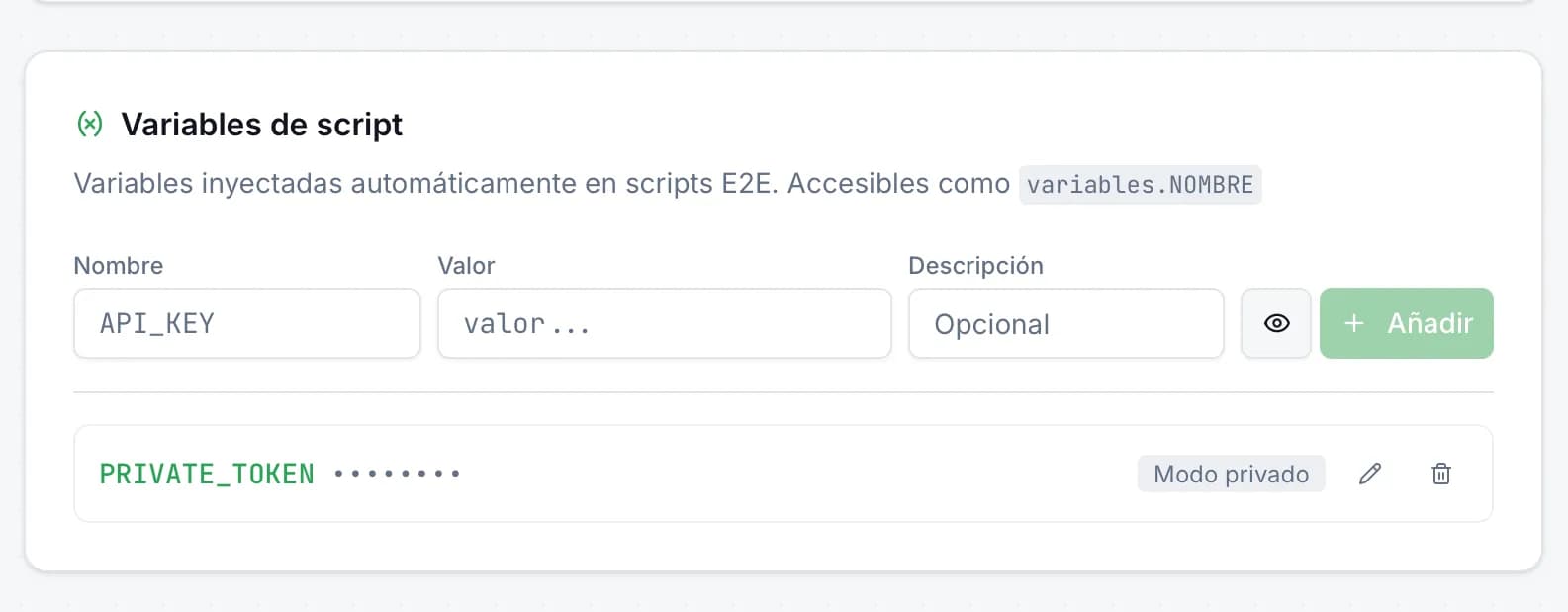
Variables de entorno en scripts E2E: secretos seguros en JMO Labs
Los scripts E2E necesitan datos sensibles —tokens de API, credenciales, URLs privadas— sin que aparezcan en el código. En JMO Labs hemos añadido variables de script con modo privado: se inyectan automáticamente, se enmascaran en los logs y se acceden con una sintaxis limpia.
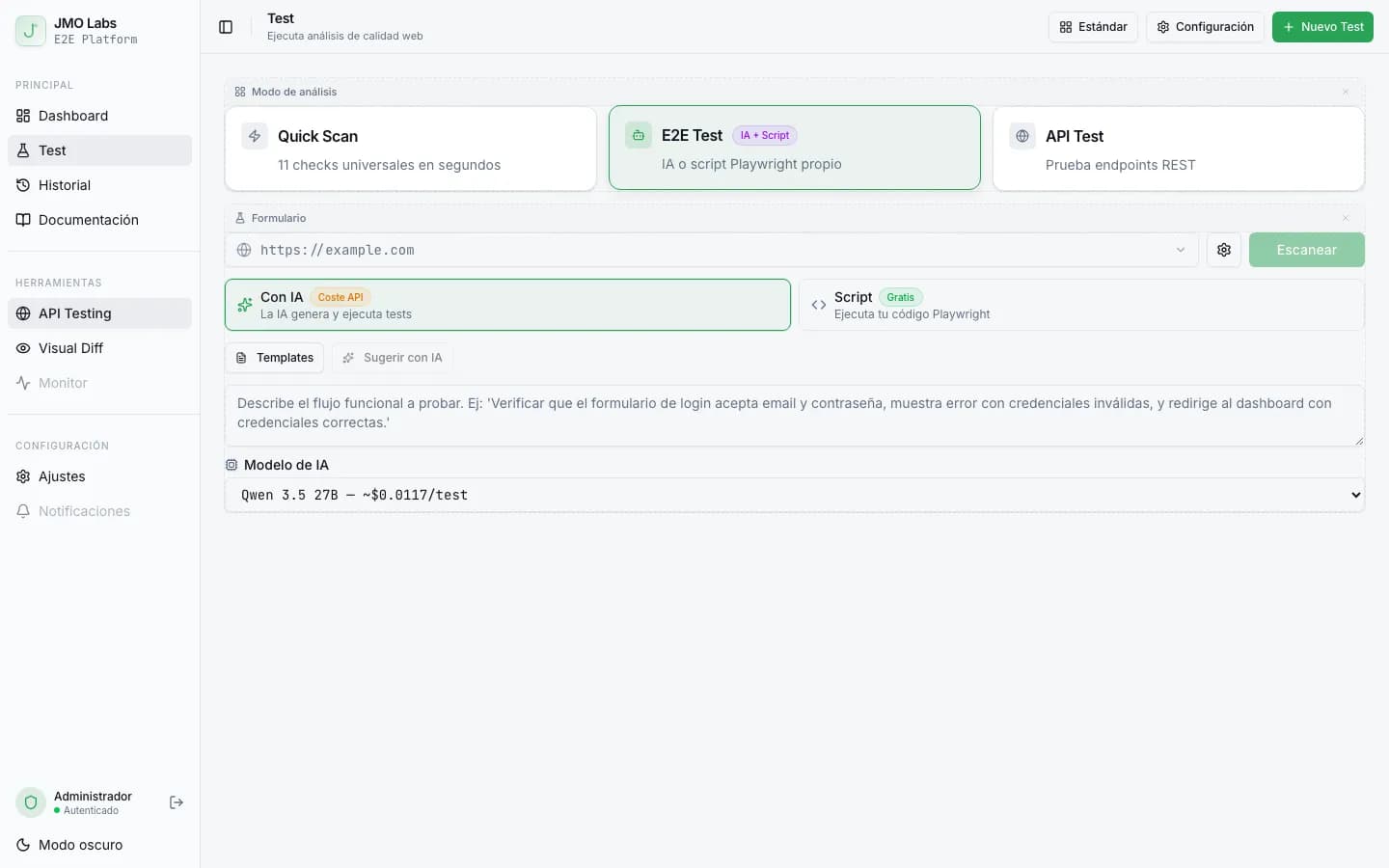
Tests E2E que se reparan solos: cómo construimos un pipeline de self-healing con IA
Los tests E2E se rompen con cada cambio de interfaz. En JMO Labs construimos un pipeline de 5 fases con IA que planifica, ejecuta, repara selectores, diagnostica fallos y verifica resultados de forma autónoma. La caché de selectores hace que cada ejecución sea más rápida que la anterior.