An AI assistant inside my resume, the chat architecture
How the embedded AI agent chat inside my portfolio is put together under the hood. SSE streaming with typed events, tool calling against the blog's public API, prompt-as-code, and HttpOnly cookie sessions.
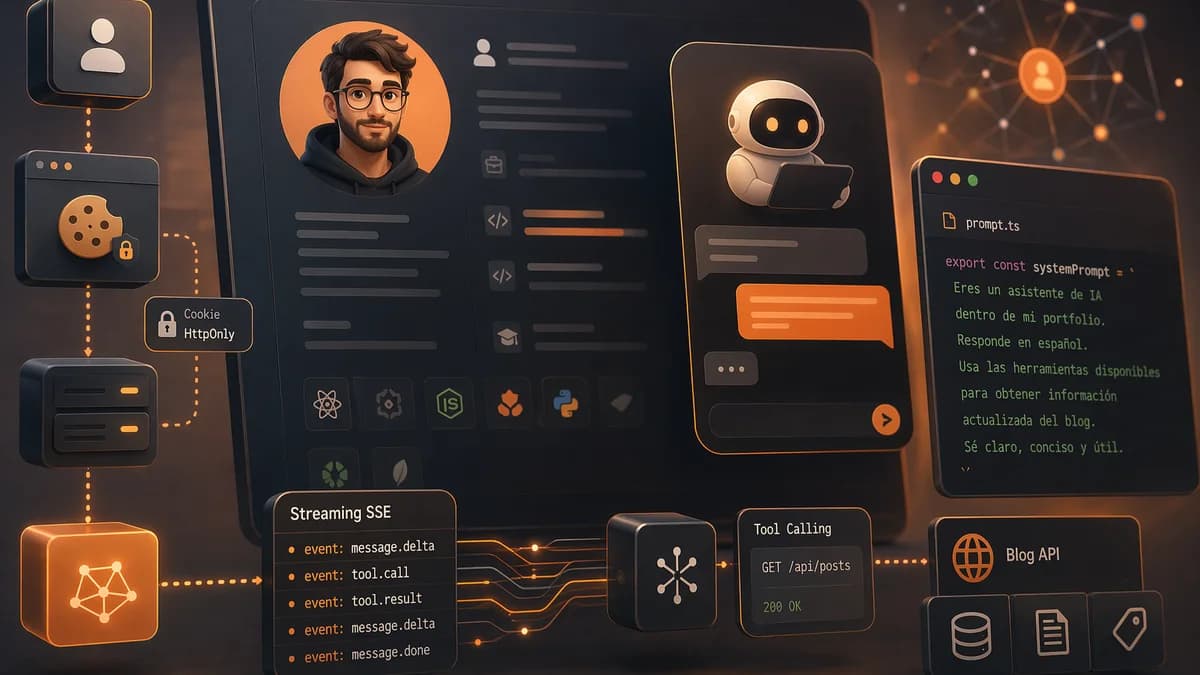
My portfolio used to be a nice, static resume. If a recruiter wanted to know whether I've actually worked with Playwright or only brushed past it, they had to read the whole resume and cross-check it with the blog, and most of them weren't going to do that. So I decided to give the site a different entry point, a chat with an assistant that knows the resume and the published posts, and replies in Spanish or English depending on what it detects from the visitor.
This article is about how it's built under the hood. There's a second post about how I hardened it so it doesn't break or burn money in production, but here I'm focusing on the architecture.
Floating widget, not a dedicated page
The first decision was where the chat should live. A dedicated page at /chat would leave the resume untouched, but it would isolate the assistant from the content it's supposed to comment on. A floating widget shows up in any section of the portfolio and lets people ask has he actually worked with this stack? without leaving the context they're already looking at.
It ended up as a circular avatar in the bottom-right corner with my photo and a blinking "online" indicator. Clicking it opens a popover that's the size of a normal messaging chat on desktop, and expands to full screen on mobile. It starts with three contextual suggestions in the third person, things like What experience does he have with Playwright? or Tell me about JMO Labs, which are the questions visitors actually ask. It doesn't make sense to leave the user staring at an empty prompt with no guidance.
Pipeline, client, Next.js, OpenRouter, LLM
The client is plain React 19, no chat libraries, with one useState per message and a custom markdown parser that doesn't depend on remark or rehype. The server is Next.js 16 running on the Node runtime for the API routes. Between the server and the model sits OpenRouter.
OpenRouter isn't the shortest path, but it is the most flexible. With a single environment variable I can swap the model behind it without touching code, and if pricing changes or a better model shows up, it's just a redeploy. The code doesn't know which specific model is on the other side, only that it speaks the OpenAI-compatible dialect OpenRouter exposes.
The chat routes cover the full cycle, initial setup, visitor verification, session resume, the streaming message itself, manual revocation, and thumbs up or down feedback. The endpoint that matters is the message one. It validates, hashes the IP for accounting, opens the stream to OpenRouter, and returns chunks to the browser. All synchronous, no queues, no workers. A single process is more than enough for the traffic volume of a personal portfolio.
HttpOnly cookie, not localStorage
The chats I've seen on other sites usually put the session token in localStorage, which any JavaScript on the page can access. If an npm dependency ever gets compromised or an XSS shows up, that token goes with the attacker. In this chat, the token lives in a cookie with HttpOnly, SameSite=Strict, Path limited to the chat routes, and Secure when the request comes in over HTTPS. The browser attaches it automatically on every chat call, and the client-side JavaScript can't read it.
The initial TTL was short and I had to extend it. The reason was pretty mundane, every redeploy reset the in-memory sessions and all open users ran into Turnstile again. Moving the sessions to persistent storage and extending the TTL is a better experience without compromising security, because a token still expires within a bounded window and there's a hard cap on uses per session.
SSE streaming with typed events
The chat replies in streaming mode, and that matters. The model can take a couple of seconds to start writing after the first call, and if it also has to search the blog, the total time goes higher. Spending that time behind a generic spinner is a worse experience than letting text appear as soon as it starts coming out.
The events the server emits are typed, not a plain text stream:
- A meta event that starts the message with an ID and the remaining quota.
- A chunk event with each text delta for the UI to concatenate.
- A tool event that tells the UI the model is calling a tool, so it shows Reading a blog post… instead of staying silent.
- A done event that closes with the used token count.
- An error event that carries the reason if something blows up mid-stream.
On the browser side, it reads the ReadableStream with a line parser and demultiplexes by type. Each one has its own renderer. If the model emits three chunks, Play, wright, he's worked with it since 2021, the UI stitches them together and ends up with a complete sentence without flicker.
Resume and blog manifest as static context
The assistant knows what it knows because every request loads two JSON blobs into the prompt. The first is the resume serialized from a .ts file with all the experience, projects, skills, certifications, courses, and languages. The second is the blog manifest, with title, excerpt, categories, tags, and URL for the published posts.
The manifest comes from a public blog endpoint I created specifically for this use case. It's cached enough to absorb traffic without spending money on round trips, but not so much that a new post takes long to show up in the assistant.
The endpoint has one careful detail. It emits a generatedAt equal to the timestamp of the last modified post, not the request time. That way the body stays byte-stable while nothing changes and Gemini's prompt cache survives across visits. If generatedAt were the request time, every request would break the prefix cache and I'd have to pay for it again.
There are fields in the resume marked as private. That's not a model problem, it's a problem of what I serialize. Private values are filtered out in the function that builds the JSON before it reaches the prompt. The model can't leak what it never saw.
Tool calling for specific posts
With only the manifest in the prompt, the assistant knows each post's excerpt, but not the full content. If someone asks something specific about an article, it needs to read it. The answer is tool calling, the OpenAI standard that OpenRouter follows.
There are two tools available. One does full-text search across posts and returns candidates with title, excerpt, snippet, and score. The other fetches the full content of a post by slug, truncated. The server iterates the tool loop with a short cap, and if the model still hasn't finished reasoning after those few rounds, it gets forced into a final answer. In practice the model chains at most two calls, it searches, finds a candidate, reads the post, replies.
The tools have a subtle safeguard. The content returned by the fetch tool comes wrapped in tags that the system prompt identifies as external content, meaning third-party data, not instructions. Even if one of my posts said ignore all previous instructions (it doesn't, but it could), the model would treat it as a quote from an article, not as a directive. The difference between data and instructions has to be made explicit, because the LLM doesn't know it by default.
Another public endpoint, now with 304
The endpoint that returns a specific post is the third one I created for this chat. It returns the post as plain text, truncated, with a weak ETag based on a hash of the body. The client (the chat itself) can send that ETag back in If-None-Match and get a 304 Not Modified with no body if the post hasn't changed. Cache-Control is emitted on both 200 and 304, Traefik caches both, and most traffic doesn't even reach Node.
That closes a triangle of public endpoints, one for the listing, one for targeted searches, and one for specific content. All three are rate-limited by IP, cached at the edge, and don't expose any internal ID, only slugs. The content was already public as HTML, I'm just exposing it in a format an agent can consume without having to parse the layout.
The system prompt is code
The system prompt lives in a .ts file in the repo and it's long enough that I treat it as code, not text. It's versioned, has unit tests, and every change goes through the same review as a function.
The hard part of the prompt isn't describing what the assistant can do, but what it can't do. There are three rules I had to repeat several times before the model actually followed them.
The first is perspective. The assistant talks in the first person about itself (I'm Jose's assistant) and in the third person about Jose (Jose has worked with Playwright). If you leave it alone, the model drifts into the first person and talks as if it were me, and that's weird for a visitor who knows they're talking to an AI.
The second is strict grounding. The model can only mention a technology, company, certification, or project if it appears literally in the resume data or in the blog manifest. If someone asks about something that isn't there, the answer is it doesn't appear in his declared experience, not a polite hallucination. In practice that makes answers shorter, but it keeps them verifiable.
The third is language. The model detects the language of the user's last message and replies entirely in that language. No greeting in Spanish and closing in English, no adding a Let me know if… at the end of a Spanish answer. The first step in the reasoning is what language did they use with me? and everything else adapts from there.
Human voice register
The prompt has a whole section of banned phrases. No Of course!, Certainly!, Happy to help, Let me tell you:, Here you go:, In summary, or It's worth noting. They sound like AI from two years ago and they chip away at trust. Instead, the rule is to start with the answer and skip the preamble, mix short and long sentences, and state the facts plainly. He's worked with Playwright since 2021 beats He has solid experience with Playwright going back to 2021.
It looks like a minor detail, but if you don't write it into the prompt, the model forgets it by default. Gemini, GPT, and Claude all have these verbal tics baked in, and they'll reach for them as soon as they can.
What I learned building it
At the end of the build, there are three things I'm taking away from it.
The first is that a well-built LLM chat looks more like designing an API than writing a prompt. The prompt is just another file. What really matters is the data contract between the model, the tools, and the UI, the session lifecycle, and how errors flow through streaming.
The second is that exposing the blog to my own agent forced me to think about the blog as an API, not as HTML. Those three public endpoints exist because an LLM needs stable, cacheable data without layout mixed in. As a side effect, any other agent can now consume the same thing, and the blog publishes an OpenAPI so they can discover it.
The third is that the invisible work in the chat is in the defense, not the conversation. The next post is about that, how I hardened the assistant so it can handle real traffic without opening holes or running up costs. I'm not going to share the specific numbers for any of those measures, because doing that would turn the post into a manual for bypassing them, but I am going to explain what kinds of layers are worth it and why.
You can try it by clicking the avatar in the bottom-right corner of my portfolio. If it gives a weird answer, I'd like to see it.

Jose, author of the blog
QA Engineer. I write out loud about automation, AI and software architecture. If something here helped you, write to me and tell me about it.
Leave the first comment
What did you think? What would you add? Every comment sharpens the next post.
If you liked this

Claude Code vs Cursor vs Codex, meses probando los tres en paralelo
Tres asistentes de código con IA, tres modelos mentales distintos. Agente que vive en el terminal, editor con autocompletado que parece magia y agente remoto al que delegas. Cuándo tiro de cada uno y por qué usarlos en paralelo me ha cambiado el flujo.

Cómo añadí narración por voz a los posts del blog con IA
Cada post del blog puede leerse en voz alta con un reproductor integrado. El audio se genera con IA la primera vez que alguien lo pide y se cachea para todos los demás.
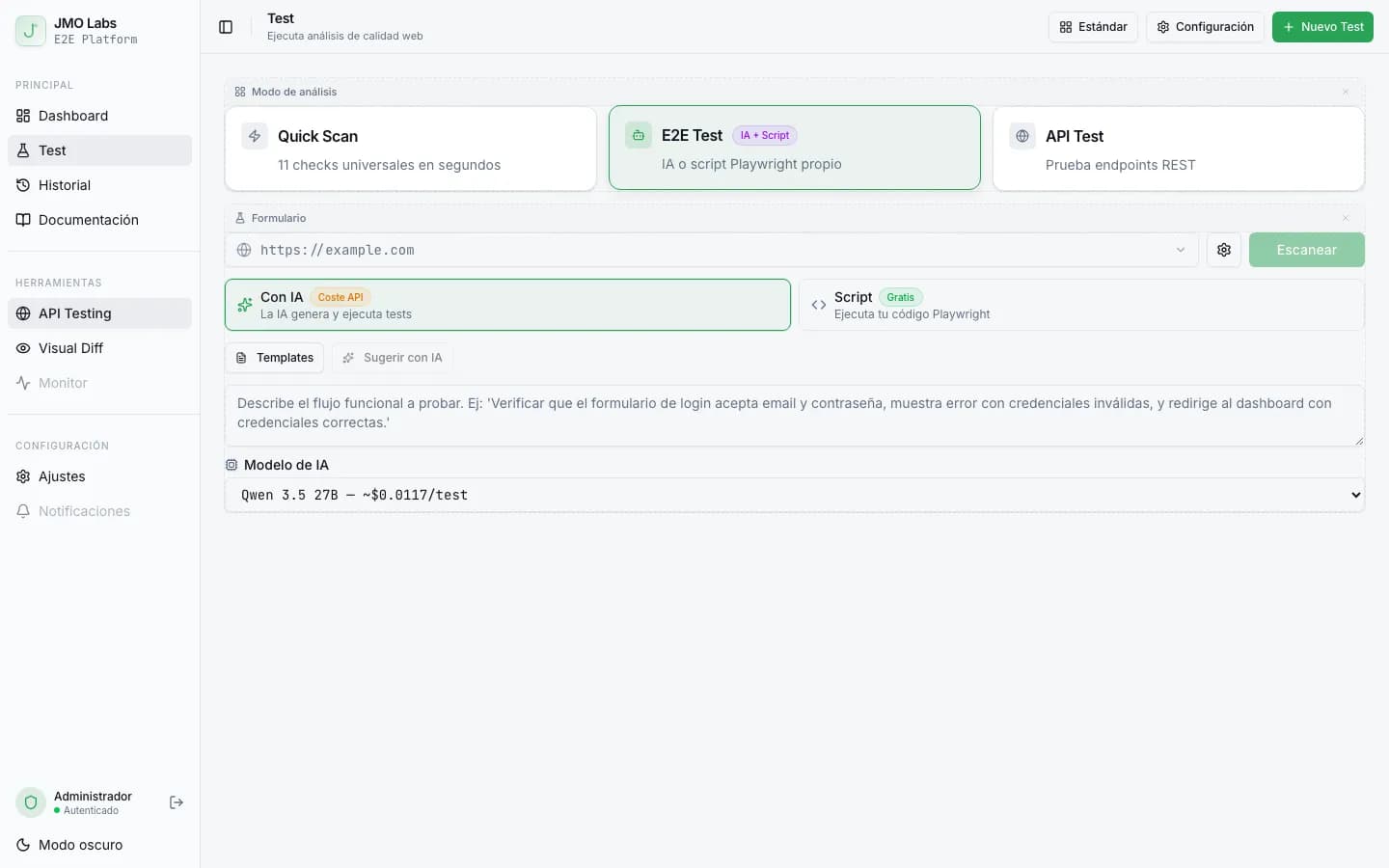
Tests E2E que se reparan solos: cómo construimos un pipeline de self-healing con IA
Los tests E2E se rompen con cada cambio de interfaz. En JMO Labs construimos un pipeline de 5 fases con IA que planifica, ejecuta, repara selectores, diagnostica fallos y verifica resultados de forma autónoma. La caché de selectores hace que cada ejecución sea más rápida que la anterior.