Push alerts on mobile with self-hosted ntfy
I added push notifications to my phone for ScamDetector with self-hosted ntfy. Four real-time alerts (injection, ban, brute-force, backend down) and three periodic monitors (daily digest, disk usage, traffic spike). A 90-line module with no dependencies.
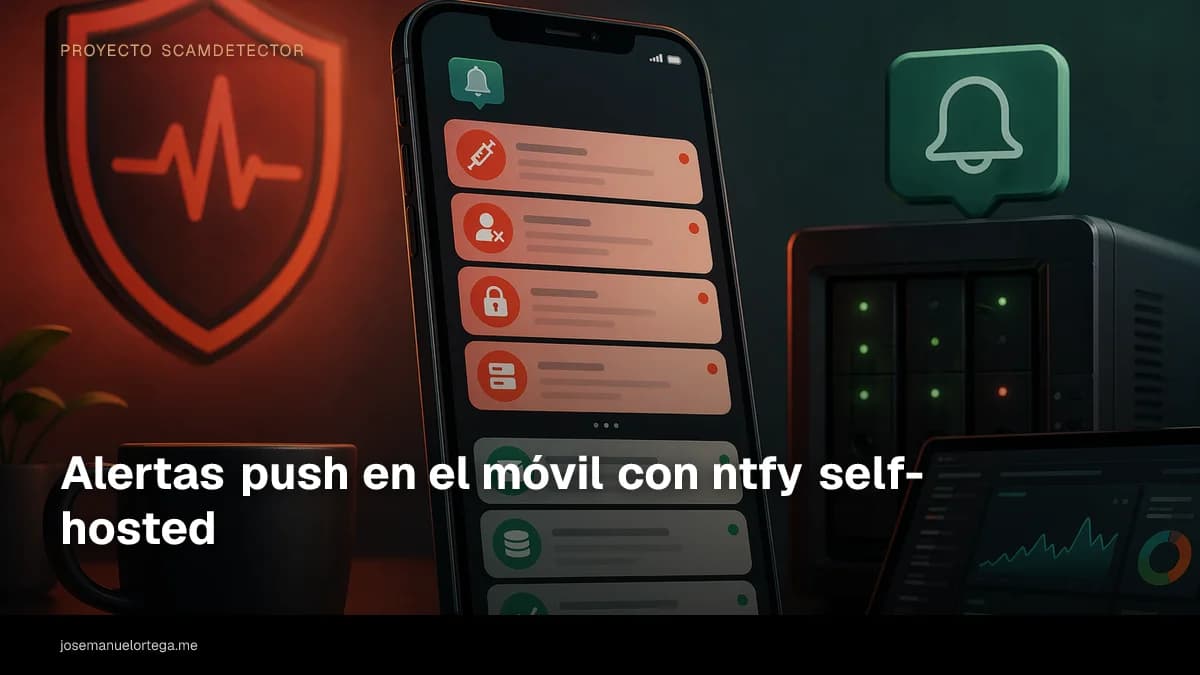
After hardening ScamDetector against injections, bots, and abuse, I had all the defenses doing their job, but I wasn't hearing about any of it. The JSONL logs were there, the test suite was passing, rate limiting persisted across restarts. Meanwhile, I was opening a terminal every couple of days to tail the file in case anything interesting had happened. A system that only tells you what's going on when you go ask it is a system that makes you distrust your own free time, and that doesn't scale.
The obvious answer would've been to set up a dashboard. Grafana, a tiny Prometheus, something with graphs. I ruled it out for two reasons. First, a dashboard is only useful if you actually look at it, and I wasn't going to. Second, the events I care about, an injection attempt, a banned IP, the AI backend going down, are things I want to know about when they happen, not when I happen to have a spare minute. The natural answer was a notification on my phone.

Why ntfy and not Telegram or Pushover
I looked at a few options. A Telegram bot is convenient, but it would leave me exposed to its API, policy changes, and having the bot show up in conversations. Pushover is excellent, but it's a paid service with your phone tied to a specific account. Emails get lost among other emails and don't carry any real priority. Slack felt like overkill for a personal project.
ntfy matched what I wanted. It's a push notification service that speaks plain HTTP, has a native app for iOS and Android, is open source, and can be self-hosted. You publish to a topic with a plain-text POST and the app subscribed to that topic gets the push instantly. No SDKs, no queues, no state logic. Just curl against a URL.
I set up my own instance on my VPS, protected with auth-file and a write-only user per topic. The mobile app points to my domain. I don't go through any third-party service or depend on someone still being around three years from now. If ntfy disappears tomorrow, the protocol is simple enough that any alternative could be adapted in an afternoon.
A forty-line module, with no dependencies
Publishing to ntfy is so basic that adding a library felt wasteful. I wrote api/notify.js, a module of about ninety lines with two exported functions, zero dependencies, and one central idea: the app shouldn't depend on ntfy to work. If the URL isn't configured, every call becomes a silent no-op. If ntfy is down or doesn't respond within five seconds, the error gets logged to the console and the user's request keeps going without noticing.
async function notify({ title, message, priority, tags } = {}) {
  const url = process.env.NTFY_URL;
  if (!url) return { ok: false, skipped: true };

  const headers = { 'Content-Type': 'text/plain; charset=utf-8' };
  if (process.env.NTFY_AUTH) headers.Authorization = process.env.NTFY_AUTH;
  if (priority) headers.Priority = String(priority);
  if (tags?.length) headers.Tags = tags.join(',');

  let body = message || '';
  if (title) {
    if (/^[\x00-\x7F]*$/.test(title)) headers.Title = title;
    else body = `${title}\n\n${body}`;
  }

  try {
    const res = await fetch(url, {
      method: 'POST', headers, body,
      signal: AbortSignal.timeout(5000),
    });
    return { ok: res.ok, status: res.status };
  } catch (err) {
    console.error('[notify] ntfy request failed:', err?.message || err);
    return { ok: false, error: err?.message };
  }
}
There are three details I learned along the way. First, HTTP headers can't contain non-ASCII characters, so if the title has an accent or an emoji, you have to move it into the body. I found this out when my first notifications arrived without a title because fetch was silently rejecting the header. Second, ntfy accepts a Priority from 1 to 5, where 1 is silent (no vibration, no sound) and 5 breaks through do-not-disturb. I reserve 5 for bans and serious incidents. Third, tags are emoji shortcodes like :warning: that show up before the title. Just a visual detail, but it makes the list scannable at a glance.
On top of that I added an in-memory throttle by arbitrary key. A Map<string, timestamp> with LRU eviction once it grows past 10,000 entries. It's there to stop the same IP from sending me fifty pushes in a minute if someone decides to fight the guardrails for hours. If the process restarts, the throttle resets, but I accept that cost: after a reboot, one more push per key is allowed, minimal noise.
The four alerts that fire in real time
There are four events I care about knowing the moment they happen. Each one has its own throttle key, priority, and set of tags, chosen so the phone can prioritize them just from the header.
1. Prompt injection attempt. The detection was already in the code, but before this it stayed in the log. Now, when detectPromptInjection returns a score greater than or equal to 1, it sends a push with the detected patterns (ignore_instructions, role_switch, force_json_output), the IP hash, and the request ID. The throttle is ten minutes per IP, because a persistent bot can fire off twenty attempts in a short while and I don't need all twenty buzzing my phone. Priority goes up to 4 if the score crosses a threshold.

2. IP banned for twenty-four hours. This is what happens after three high-score injections inside the penalty window. When that happens, the ban kicks in at the hardest layer of rate limiting (24 hours without being able to hit any endpoint). This event goes out at priority 5, with the rotating_light tag and no throttle, because every ban is a separate incident and deserves a push even if several happen on the same day.
3. Brute-force against the bearer key. When I added API key authentication for AI agents and scripts, I was worried that someone might discover the endpoint and start trying keys. The handler keeps a counter per IP that increments on every verifyApiKey failure. On the fifth failure within ten minutes, push with the key tag. The counter is in-memory and only resets once the window passes. This isn't the defense, it's the warning. The defense is the comparison with crypto.timingSafeEqual and the per-IP rate limit.
4. AI backend down or recovered. If OpenRouter starts returning 5xx and I get three in a row, I send a priority 5 push saying which backend went down. When the first 2xx comes back after the outage, I send a recovery push. 4xx errors don't count because they're usually my fault (configuration, quota, expired key). It's a light circuit breaker, without the complexity of opening and closing states, just enough to avoid waking anyone up over a one-off network hiccup.
The three monitors watching the system while I sleep
Real-time events fire inside the flow of a specific request. But some information only shows up when you look at the whole picture. For that I added api/stats-monitor.js, a third module that starts with the server and schedules three periodic tasks.
Daily digest at 21:00. Once a day, the scheduler reads the last twenty-four hours from the three JSONL logs (analysis-log, urlscan-log, extract-urls-log), computes a summary, and publishes a silent push with priority 2. It includes the total number of analyses with a percentage delta versus the previous day, a breakdown by risk level, the top three scam types, detected injections with unique IPs, the split by authentication method, rate-limit hits, and urlscan and OCR activity. If there was absolutely no activity, nothing gets published that day, because a daily push saying "zero analyses" would be about as useful as it sounds, which is not at all.


The logic is split in two. On one side, computeDigest, a pure function that receives arrays of already-read entries and returns a digest object with counts and breakdowns. On the other, formatDigestMessage, which takes that object and produces the text to publish. Splitting them this way lets me test the calculations with controlled inputs, without reading from disk or calling notify, and iterate on the format without touching the logic. The result is about 35 lines of tests covering cases with zero activity, with a comparison available or not, with injections and without, with risk spread out and with everything piled into one level.
Disk usage of /app/data. Once an hour, fs.statfs runs against the named volume I have mounted in Dokploy. If usage goes above 85%, I get a priority 4 push saying how many megabytes are left free. It has a 24-hour cooldown on the same key so I don't get 24 warnings a day for the same problem. In a project with logs purged every 7 days, this should never happen, but having the alert means that if cleanup ever fails, I'll know before the disk fills up.
Traffic spike. Every five minutes, the monitor looks at analyses from the last hour and compares them with the average per hour over the previous 24. If the last hour is at least three times the average and has at least ten requests, it sends a priority 3 push. That absolute minimum matters. Without it, a day with almost no traffic would generate false positives as soon as someone ran five analyses in a row. With a six-hour cooldown, I avoid a sustained campaign sending me warnings every five minutes all afternoon.
Tests without adding a single dependency
ScamDetector already had a policy of not using any test framework, just the native node:test runner, and that fit the monitors nicely. All impure functions are isolated in the impure parts, and the pure ones are exported through module.exports._internal, which production code never touches. From the tests, I import the module and call computeDigest, computeSpike, diskUsageRatio, or msUntilNext directly with made-up inputs.
The most useful test I wrote was for msUntilNext, which calculates how many milliseconds are left until the next occurrence of a specific hour of the day. It's trivial if you don't cross midnight. It gets tricky in the "it's 21:05 and the digest is at 21:00" case. At first my implementation returned a negative number and setTimeout fired immediately, which made the digest send twice in a row. A test with injected now caught it right away.
What all this got me
Since I put ntfy in place, I've stopped opening a terminal just to check logs. If something happens, it reaches my phone with the right noise level. If nothing happens, the daily summary at 21:00 confirms the system is still responding and saves me the manual check. I can tell at a glance whether there was an injection spike yesterday, whether average latency is going up, whether someone tried fake bearers.

What's interesting about the experiment is that api/notify.js and api/stats-monitor.js have nothing ScamDetector-specific in them. They're two small files that talk to a URL. I've already copied them as-is into two other homelab projects with small changes to the rules for what counts as an event. Ntfy is becoming my standard layer for lightweight observability, the thing I reach for when a Grafana-Loki-Prometheus stack would be like using a hammer to drive in a pin. On top of that I later built the homelab health checks series, where both Uptime Kuma and healthchecks.io fire into the same ntfy topic where this story started.
The code is at scamdetector.josemanuelortega.dev and the repository is still public. If you end up building something similar and find a better way to classify events, let me know.
Another entry in the ScamDetector project series. You're coming from Hardening security in production and next up is Privacy, Vertex ZDR, and obfuscated mode.

Jose, author of the blog
QA Engineer. I write out loud about automation, AI and software architecture. If something here helped you, write to me and tell me about it.
Leave the first comment
What did you think? What would you add? Every comment sharpens the next post.
If you liked this

Privacidad al máximo en ScamDetector, Vertex con ZDR y modo ofuscado
Cuatro cambios para que la privacidad de ScamDetector deje de ser un banner y esté en el código. Routing forzado a Google Vertex con Zero Data Retention, selector de envío con ofuscación server-side, política RGPD reescrita desde cero y fuentes autohospedadas para no filtrar la IP del usuario a Google.

Iterando sobre ScamDetector, lo que cambié después de publicar
Qué cambió en ScamDetector después de publicar. Tercer backend de IA, rate limiting persistente, logging con privacidad, pasos de acción por tipo de estafa, compartir resultados como imagen y PWA.

La arquitectura de ScamDetector, un proxy de IA que no expone secretos
Cómo está construido ScamDetector por dentro, desde el proxy server-side que protege las claves de API hasta los tres backends de IA intercambiables y las medidas de seguridad.